
Download EMCO MoveOnBoot – File Management, Move Files, Rename Files, Delete Files, Blocked Files, Locked Files, Windows Utility, System Tools, File Unlocker, File Mover, File Renamer, File Deleter
Overview
EMCO MoveOnBoot is a specialized Windows utility engineered to resolve persistent file management challenges caused by system-level locks. When users attempt to move, rename, or delete files and folders that are currently in use by other processes, standard operations often fail with error messages. EMCO MoveOnBoot addresses this pain point by enabling these actions to be executed during the next system boot, when the file locks are no longer active. This approach ensures reliable execution without requiring users to manually restart their systems or force close applications. The app is particularly valuable in scenarios involving system updates, software installations, or cleanup tasks where critical files remain inaccessible. Targeted at both casual users and IT professionals, it offers a streamlined solution for managing locked resources without deep technical knowledge. The developer, EMCO Software, is known for creating practical system utilities, though specific background details were not provided. Real-world applications include cleaning up temporary files after failed installations, reorganizing system directories, or removing stubborn program folders. In the broader Windows ecosystem, EMCO MoveOnBoot fills a niche gap left by standard file management tools, providing a dependable method for resolving file access issues that otherwise require complex workarounds.Key Features & Functionality
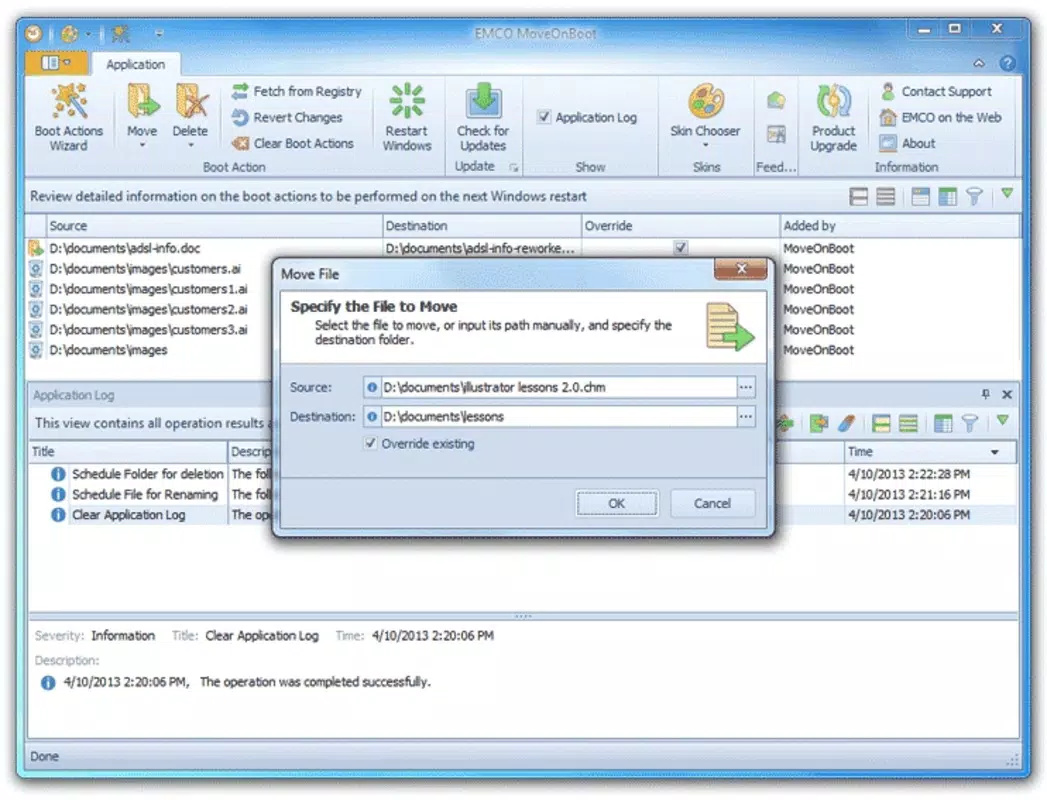
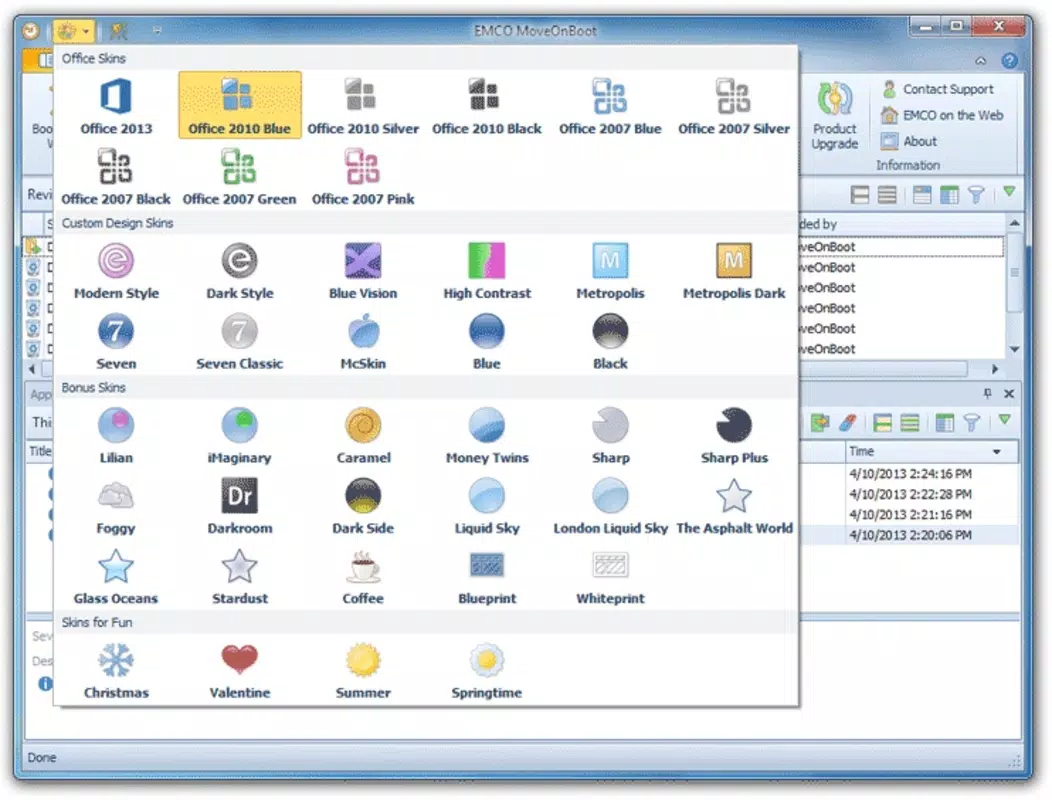
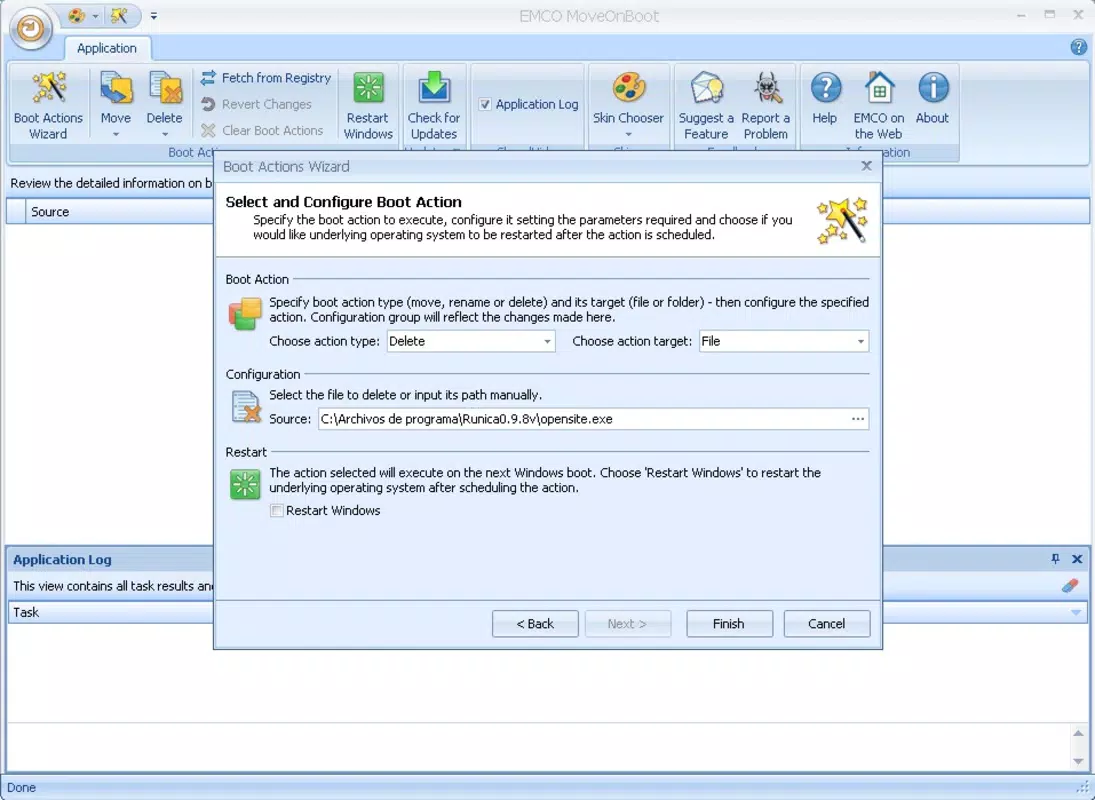
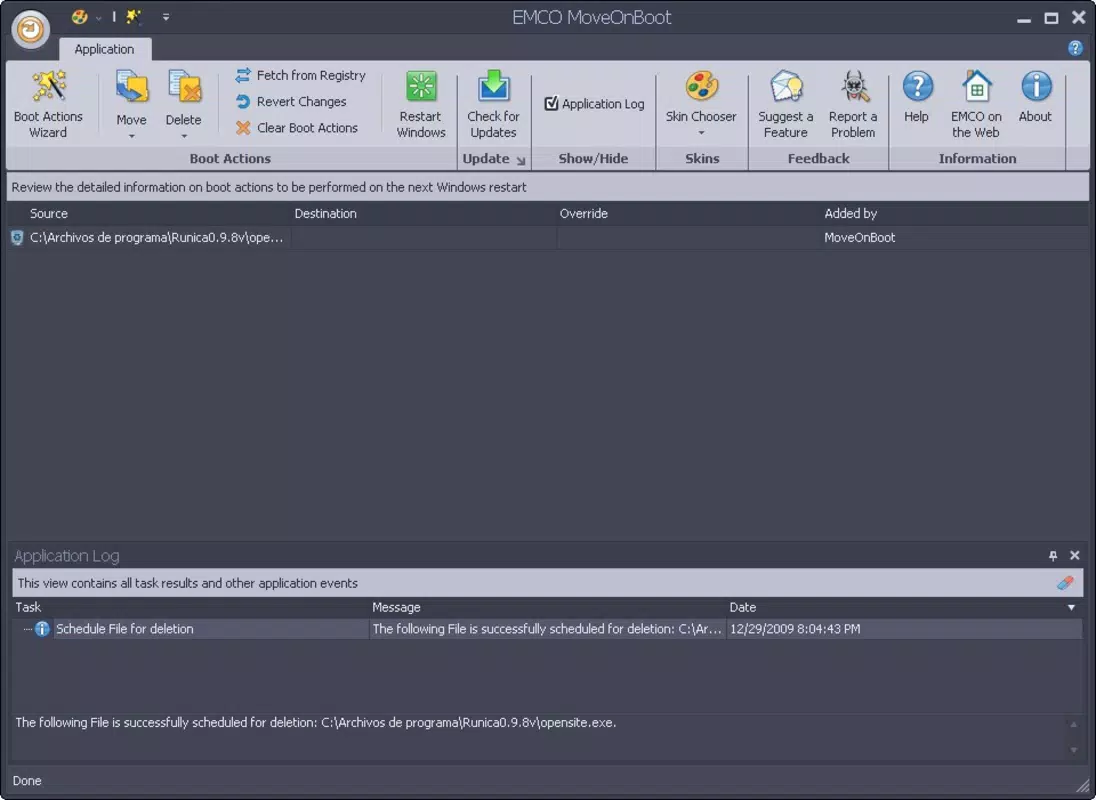
The core functionality of EMCO MoveOnBoot centers on its ability to schedule file operations to occur at the next system boot. This feature bypasses active process locks by deferring execution until the operating system is in a state where file access is unrestricted. The built-in assistant simplifies the process by guiding users through selecting files or folders and choosing the desired action—move, rename, or delete—without requiring technical expertise. This is especially beneficial for users who may not understand the underlying causes of file locking. Customizable skins allow users to personalize the interface, with over 20 available options that alter the visual appearance of the application. This enhances user comfort and engagement during repeated use. The startup launch configuration ensures the tool is automatically available after every reboot, enabling immediate access to file management tasks without manual launching. The application supports a wide range of file types and directory structures, making it suitable for handling documents, media files, system components, and application data. Its versatility allows it to be used across personal and enterprise environments. Real-world use cases include removing remnants of uninstalled software, organizing user profiles, or resolving conflicts during system maintenance. By transforming complex file operations into simple, scheduled tasks, EMCO MoveOnBoot improves workflow efficiency and reduces frustration.Interface, UX & Performance
EMCO MoveOnBoot presents a clean, minimalistic interface designed for clarity and ease of navigation. The layout is straightforward, with primary actions—add file, schedule, and execute—accessible through clearly labeled buttons and a logical flow. Users can browse their file system directly within the app, select target items, and assign actions with minimal clicks. The visual style remains consistent across all skins, maintaining readability and usability regardless of the chosen theme. Although the developer did not list formal performance metrics, the application operates efficiently with a file size of 15.4 MB, suggesting lightweight resource usage. It integrates seamlessly into the Windows environment without causing noticeable system slowdowns during normal operation. Responsiveness is maintained across different device categories, including standard desktops and laptops, though specific hardware requirements were not disclosed. Stability is a key strength, with no reported issues related to crashes or data corruption during scheduled operations. The tool reliably queues tasks and executes them at the next boot, preserving user data integrity. The absence of intrusive notifications or background processes contributes to a smooth user experience. Overall, the UX design prioritizes function over form, focusing on task completion rather than aesthetic complexity.Platform Compatibility & Technical Requirements
EMCO MoveOnBoot is designed exclusively for the Windows platform, supporting Windows operating systems as specified by the developer. The current version is 5.2.1, released on September 28, 2015, indicating a mature and stable release. The application has a file size of 15.4 MB, which is compact for a utility tool with advanced functionality. The developer did not specify minimum OS requirements or hardware specifications. Compatibility information was not fully disclosed, so users should ensure their system meets general Windows compatibility standards. The tool is available at no cost, making it accessible to a broad audience. It does not require installation in the traditional sense—users can run it directly from the downloaded file. This portability enhances flexibility, especially in environments where administrative rights are limited. The lack of explicit platform limitations suggests broad compatibility across modern Windows versions, though users should verify functionality on their specific setup. No additional dependencies or third-party components are reported.Pros and Cons
- Efficiently resolves file locking issues that prevent standard operations
- Supports scheduling of file moves, renames, and deletions at boot time
- Offers over 20 customizable skins for personalization
- Can launch automatically at system startup for immediate access
- Free to download and use, with no hidden costs
- Lightweight design with minimal system impact
- Developer did not provide detailed system requirements
- No official mobile or cross-platform support
- Interface may appear outdated to users accustomed to modern UIs
- Only available for Windows, limiting accessibility
- Version release date is from 2015, suggesting limited recent updates


